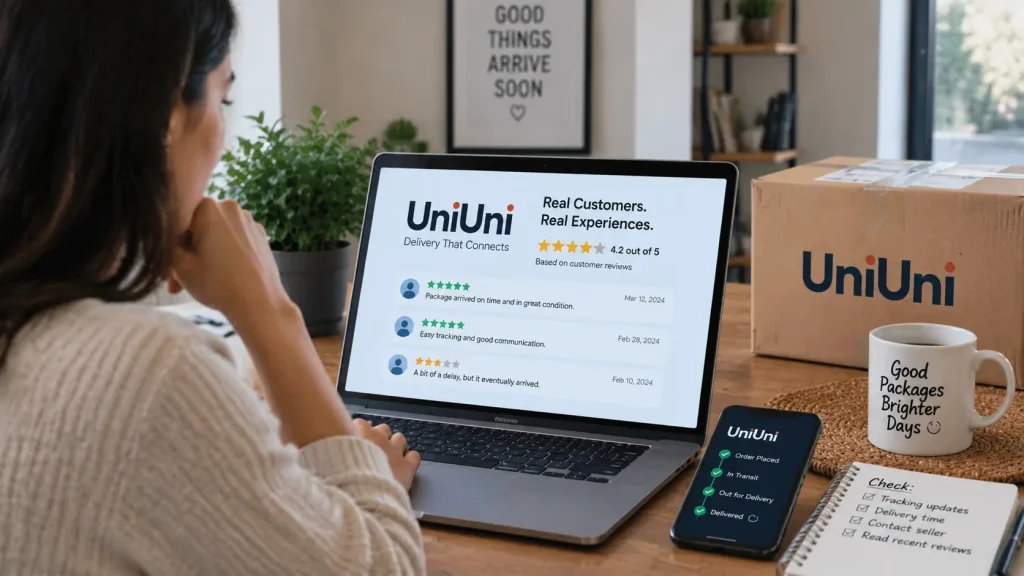
UniUni Tracking: A Complete Guide to Parcel Tracking and Delivery
Waiting for an online order can be exciting, but it can also make you impatient. You may wonder where your package is, when it will arrive, or why its status has not changed. UniUni tracking helps you follow your shipment and understand its delivery progress. Whether you ordered clothes, home items, or small accessories, tracking updates can help you plan for delivery.
UniUni is a last-mile delivery company that handles parcels for online shopping businesses and other shipping partners. Its services help move packages through local delivery networks toward their final destinations. You can usually check your shipment using a tracking number or a tracking link provided by the seller. However, updates may take time to appear after a parcel enters the delivery network. This guide explains how to track your package, understand common shipment statuses, and handle delivery problems. You will also learn how to protect your information and what steps to take when your parcel seems stuck.
What Is UniUni Tracking?
UniUni tracking is a service that lets customers check the progress of parcels handled by UniUni. It provides shipment information as the package moves through different stages of delivery. These stages may include receiving the parcel, sorting it, moving it between facilities, and preparing it for final delivery.
The tracking page may show the latest available shipment status and other delivery details. The exact information depends on the parcel and the updates received by the delivery network. For example, a package marked as out for delivery may be closer to your home. A shipment marked as in transit may still be moving between facilities. Understanding these messages helps you set realistic expectations. Remember that tracking information is not always updated instantly. A short delay between scans does not automatically mean your package is lost.
How to Use UniUni Tracking Online
Checking your parcel online is simple. You only need your tracking number and an internet connection. Follow these steps to view the latest shipment information.
- Visit the official UniUni tracking page.
- Find the tracking number in your order confirmation or shipping email.
- Enter the number in the tracking field.
- Submit the number to view the available shipment details.
- Read the latest status and check the estimated delivery date, if provided.
You can also check multiple shipments on the official page. UniUni allows customers to enter up to 25 tracking numbers, separated by commas. This can help if you have several orders arriving around the same time. Always check that you are using the correct website before entering shipment details. If the tracking page cannot find your parcel, confirm the number first. Your seller may not have handed the package to UniUni yet.
Package Tracking+1
UniUni Company Profile and Background
Before tracking a shipment, it helps to understand the company handling your delivery. UniUni provides parcel delivery services, with a focus on the final part of the shipping journey. This stage is often called last-mile delivery. It connects a local delivery network with the customer who ordered the product. The company works with online sellers and shipping partners to move parcels toward their destinations. Its tracking system helps customers follow available delivery updates without contacting the seller for every change.
Here is a simple company profile table with basic information. These details describe the service rather than a person’s biography. Delivery coverage, service options, and tracking information can vary by shipment and location. For the most accurate details about your own package, use the official tracking page or support center.
| Profile detail | Information |
| Company name | UniUni |
| Industry | Parcel delivery and logistics |
| Main service | Last-mile package delivery |
| Customers | Online shoppers, merchants, and shipping partners |
| Tracking method | Online tracking page |
| Tracking details | Shipment progress and available delivery estimates |
| Support channel | Official support page and chatbot |
| Official website | uniuni.com |
| Tracking page | Track a parcel |
| Support page | Get delivery help |
Package Tracking+1
Where Can You Find Your UniUni Tracking Number?
Your tracking number is the key to checking your package’s progress. You will often find it in the shipping confirmation email sent by the online store. You may also find it in the order details section of the shopping website or app. Open your order, look for shipping information, and check whether UniUni is listed as the delivery company. If the seller provides a tracking link, you can use that link to reach the shipment details.
If you cannot find the number, contact the seller through the original shopping platform. Ask whether your order has shipped and request the correct tracking information. Keep your order number nearby because the seller may need it to identify your purchase. Do not confuse the order number with the tracking number. They may look different and serve different purposes. Once you have the correct number, enter it on the official tracking page to see whether shipment information is available.
Understanding Common UniUni Tracking Statuses
Shipment updates can look confusing when you first see them. Each status describes a particular stage of the delivery process. The exact wording may vary, but these common examples explain what the messages generally mean.
| Tracking status | What it usually means |
| Label created | Shipping information exists, but the parcel may not have reached UniUni yet. |
| Facility received | The parcel has arrived at a delivery facility. |
| In transit | The parcel is moving through the shipping network. |
| Arrived at local facility | The package has reached a facility closer to its destination. |
| Out for delivery | The parcel is on the final delivery route. |
| Delivered | The system records the parcel as delivered. |
| Delivery attempt failed | The driver could not complete the delivery attempt. |
| Storage | The parcel may be held at a warehouse while awaiting further action. |
These descriptions are general guides, not guarantees about the next event. For example, an in-transit parcel may pass through several facilities before reaching your area. If your tracking status changes, read the latest update instead of relying only on an older message. The official tracking page provides the shipment-specific information available to UniUni.
How Long Does UniUni Delivery Take?
Delivery time depends on several factors. These include the seller’s processing time, the shipping distance, the delivery network, and the parcel’s destination. A package may also need extra time during busy shopping periods or when transportation is disrupted. This means two orders placed on the same day can arrive at different times, even when they use the same delivery company.
The best way to check your expected arrival is through the official tracking page. If an estimated delivery date appears, use it as a guide rather than a guaranteed arrival time. If no estimate appears, the seller may still be processing your order or UniUni may not have received the parcel. Contact the seller when the order has not been handed over. If UniUni already has the package and the delivery appears delayed, contact its support team for further guidance.
Why Is UniUni Tracking Not Updating?
Sometimes, your parcel status may stay the same for hours or days. This can happen when the seller has created a shipping label but has not handed over the package. It can also happen when the parcel travels between facilities without a new scan. Busy shipping periods and temporary system delays may affect updates, too.
If your UniUni tracking page shows no new information, start by checking your order details. Make sure the tracking number is correct and confirm the seller has shipped your parcel. If the seller confirms dispatch but no updates appear, allow some time for the first scan. Contact the seller if UniUni has not received the package. If the tracking record already shows physical receipt, ask UniUni support for help when the delay continues. Avoid assuming that your package is lost just because the status has not changed.
What to Do When UniUni Says Delivered but Your Package Is Missing
Seeing a delivered message without finding your parcel can be frustrating. However, a few simple checks may help you locate it. First, review the delivery confirmation details on the official tracking page. If proof-of-delivery photos are available, check whether they show a familiar entrance or safe place. UniUni also provides a way to view delivery confirmation using the postal or ZIP code associated with the shipment.
Next, check your front door, side entrance, mailbox area, building lobby, and other possible drop-off spots. Ask household members, neighbors, or building staff whether they accepted the package. If you still cannot locate it, contact UniUni through its official support chatbot. Include your tracking number and explain what you have already checked. You should also contact the seller if the parcel remains missing. Keep your order details and any delivery photos available in case an investigation is needed.
How to Contact UniUni Customer Support
Customer support can help when your shipment has an unusual status or a delivery problem. The easiest starting point is the official UniUni support page. It offers tracking help, answers to common questions, and access to a support chatbot. Choose the option that best matches your problem and provide clear information about your parcel.
Before contacting support, prepare your tracking number, order details, and the date of the latest update. Explain the issue in simple words. For example, you might say that your parcel has shown the same status for several days. Or you may explain that the system says delivered, but nothing arrived at your address. Clear details can help the support team understand your concern. For order changes, returns, or missing items inside a delivered parcel, you may also need to contact the original seller.
Can You Change Your Delivery Address?
You may need to correct your address after placing an order. Perhaps you forgot an apartment number or entered an incorrect gate code. UniUni advises customers to submit delivery information changes through its support chatbot. You can request changes to details such as your address, phone number, unit number, or delivery instructions. However, a change is not always possible at the last minute.
If your parcel is already out for delivery, the driver may not receive updated instructions in time. Therefore, contact support as soon as you notice a mistake. Check the information carefully before submitting your request. If the seller has not shipped the order yet, you can also ask whether the address can be corrected through the shopping platform. Do not assume that an address change has been accepted until you receive confirmation.
What Happens After a Failed Delivery Attempt?
A delivery attempt can fail for several reasons. The driver may not be able to access your building, the address may be incomplete, or the delivery location may not be supported. If this happens, read the latest shipment update before taking action. UniUni states that a second attempt usually occurs within 48 hours after the first failed attempt, although circumstances can vary.
If another attempt fails, the package may return to a UniUni warehouse. When its status changes to storage, contact customer support to ask about arranging redelivery. Keep your address and contact information ready. Add useful instructions, such as a building entrance code, when requested. UniUni also states that it does not deliver to post office boxes. If your delivery information is incorrect, ask support how to correct it. Following these steps can help prevent another unsuccessful attempt.
Is UniUni Tracking Safe to Use?
Using the official tracking page is a sensible way to check a parcel. You should always confirm the website address before entering shipment information. Be careful with unexpected text messages or emails claiming that a delivery requires an extra fee. Fake delivery messages can imitate real shipping companies and lead people to unsafe websites.
For safer UniUni tracking, open the official website directly instead of clicking suspicious links. Never share your account passwords, banking PINs, or verification codes with someone claiming to be a delivery agent. If a message asks for payment, check the order details with the seller first. Use the official support page when you need help with a shipment. These simple habits can reduce the risk of scams while helping you keep your delivery information private.
Helpful Tips for Tracking Your Package
A few small habits can make parcel tracking easier. Save your tracking number as soon as the seller sends it. Check the official tracking page whenever you need a new update, rather than relying on old screenshots. If you have multiple orders, keep their tracking numbers and order dates in a simple note. This helps you avoid mixing up packages from different sellers.
When using UniUni tracking, pay attention to the latest scan and estimated delivery date. Check your delivery address for mistakes before the parcel reaches the final stage. If you live in an apartment, make sure any required access instructions are correct. Keep order confirmation emails until the package arrives safely. If an issue develops, contact the right party early. The seller is often the best contact for unshipped orders, while UniUni support can help with parcels already in its delivery network.
UniUni Tracking Compared With Other Parcel Tracking Methods
Online shoppers may receive tracking information from a seller, a marketplace, or the delivery company. Each option can serve a different purpose. A shopping app may show the complete order history, payment details, and seller messages. The delivery company’s website usually focuses on the parcel’s shipping progress and final delivery status. A shipping confirmation email may also contain a direct tracking link.
For UniUni tracking, the official website is a useful place to check the latest available delivery events. Start there when you want to understand a shipment status or look for delivery confirmation. If the tracking page cannot find your parcel, check the seller’s order page next. The seller can confirm whether the package has been dispatched and whether the tracking number is correct. Using these sources together gives you a clearer picture of your order without depending on unverified third-party websites.
Conclusion
UniUni tracking helps you follow your parcel and understand its delivery progress. By checking the official website, saving your tracking number, and learning common shipment statuses, you can manage your expectations more easily. Remember that tracking updates may not appear immediately after an order is placed. The seller may still be processing your purchase, or the parcel may be waiting for its first scan.
If your shipment is delayed, check the latest update before contacting support. If the status says delivered but your package is missing, inspect possible drop-off locations and ask people nearby. For address changes, failed delivery attempts, or other problems, use the official UniUni support page. You can also contact your seller when the issue concerns order processing or the items you purchased. Have you used UniUni for an online order? Share your experience or questions to help other shoppers understand the delivery process.
Frequently Asked Questions About UniUni Tracking
Q1. How do I track my UniUni package?
Visit the official tracking page, enter your tracking number, and submit it. The page will show the shipment information currently available for your parcel. If no details appear, check that the number is correct and ask the seller whether the package has been shipped.
Q2. Why is my UniUni tracking number not working?
Your tracking number may not work because the seller has not handed over the package yet. The number may also contain a typing error, or the first shipment scan may not be available. Check your order confirmation and try again later. Contact the seller if the problem continues.
Q3. How long does UniUni take to deliver a package?
Delivery time depends on the seller, shipping distance, destination, and delivery conditions. Check your tracking page for an estimated delivery date when one is available. If the parcel appears delayed, contact the seller or UniUni support based on its latest shipment status.
Q4. What does out for delivery mean on UniUni?
Out for delivery generally means your package has been assigned to the final delivery route. It may arrive that day, but the exact time is not guaranteed. Check the latest tracking information and make sure your delivery address and instructions are correct.
Q5. What should I do if UniUni says my package was delivered?
Check your entrance, mailbox area, building lobby, and other possible drop-off locations. Ask household members or neighbors if they accepted the parcel. Review delivery confirmation photos if available. If you still cannot find it, contact UniUni support and your seller.
Q6. Can I contact UniUni about a delayed package?
Yes. Visit the official UniUni support page and use its support chatbot. Provide your tracking number and explain the delay. If the seller has not handed over your parcel, contact the seller first to confirm its shipping status.